

Breguir Watch Face Go
Personalization
0.0
20 Downloads
"The only thing left is to keep going."
Install on Google Play
Paid App



About this app
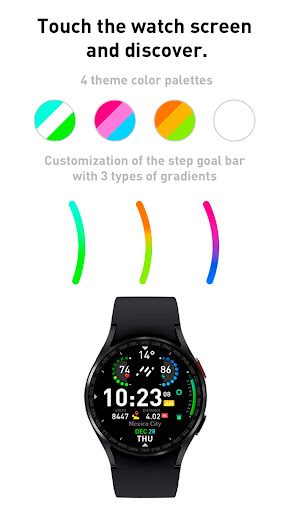
This is an amazing Watch Face.
For all Wear OS devices.
Buy the app and Install it on your Phone.
Open BREGUIR app
Tap on the "Install on Watch" button.
In your Watch, tap the "Install" button.
Then you can go to the app that manages your Watch device on your Phone.
Go to Watch Faces, then scroll down to "downloads", and tap over the BREGUIR app.
That is it!
If you need help with installation, please email: [email protected]
Remarks:
Always make sure your watch is paired to your phone when installing.
When it says "installing soon," please wait 3-4 minutes, then check your watch to see if the installation is complete.
Be sure you have all device permissions allowed.
App Info
Version
Updated on
N/A
Size
Requires Android
Package ID
com.watchfacestudio.watchfacesamsung6
Installs
20
Category
Personalization
App Permissions
-
Wearable sensors/Activity data
- body sensors (like heart rate monitors)
-
Other
- reorder running apps
- control vibration
- prevent device from sleeping
- set an alarm


