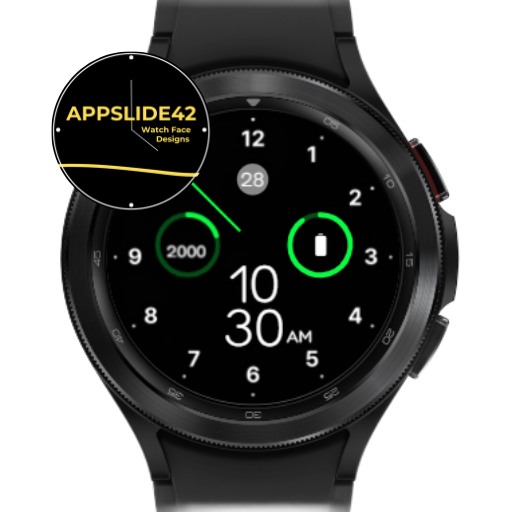
Minimal Dashboard Watch Face 2
Personalization
0.0
180 Downloads
"Simple & clean watch face for Wear OS."
Install on Google Play
Paid App


About this app
Displays:
- Digital time.
- Day of week.
- Date and Month.
- Step count.
- Heart rate Info.
- Battery level.
Searhing "Moepaw" on Play Store to view all my watch faces.
Installation:
- Download directly to your watch: select your watch device from the "INSTALL" drop-down menu.
- Use the companion app: download this app on your phone and connect to your watch, tap the "INSTALL" button.
How to apply the watch face:
- After installation, long press on the clock screen on your watch, scroll right and tap the add button, you will see a list of all watch faces insatlled on your watch, then you can choose the watch face to add and apply.
- If your watch is a Samsung Galaxy Watch, you can also change it from Galaxy Wearable > Watch faces.
Attention:
- This watch face designed for smartwatches running on Watch OS 2.0(API 28+) and above.
- For full functionality of all indicators, please grant all permissions after installation.
- Some shortcut functions may depend on the device you are using, as some apps may not work on certain devices, such as Heart Rate Monitor and Music player etc.
- If you have some issues or ideas, you can contact us on:
Discord: https://discord.gg/qBf7AFPxzD
Instagram: https://www.instagram.com/moepaw_wfs
Twitter: https://twitter.com/moepaw_wfs
If you like this watch face, please download and leave a comment to support creating more pretty watch faces.
- Digital time.
- Day of week.
- Date and Month.
- Step count.
- Heart rate Info.
- Battery level.
Searhing "Moepaw" on Play Store to view all my watch faces.
Installation:
- Download directly to your watch: select your watch device from the "INSTALL" drop-down menu.
- Use the companion app: download this app on your phone and connect to your watch, tap the "INSTALL" button.
How to apply the watch face:
- After installation, long press on the clock screen on your watch, scroll right and tap the add button, you will see a list of all watch faces insatlled on your watch, then you can choose the watch face to add and apply.
- If your watch is a Samsung Galaxy Watch, you can also change it from Galaxy Wearable > Watch faces.
Attention:
- This watch face designed for smartwatches running on Watch OS 2.0(API 28+) and above.
- For full functionality of all indicators, please grant all permissions after installation.
- Some shortcut functions may depend on the device you are using, as some apps may not work on certain devices, such as Heart Rate Monitor and Music player etc.
- If you have some issues or ideas, you can contact us on:
Discord: https://discord.gg/qBf7AFPxzD
Instagram: https://www.instagram.com/moepaw_wfs
Twitter: https://twitter.com/moepaw_wfs
If you like this watch face, please download and leave a comment to support creating more pretty watch faces.
App Info
Version
Updated on
Aug 19, 2023
Size
Requires Android
Package ID
net.moepaw.watchface.dashboard2
Installs
180
Category
Personalization
What's New
upgrade target sdk to 33.
App Permissions
-
Wearable sensors/Activity data
- body sensors (like heart rate monitors)
-
Other
- control vibration
- prevent device from sleeping
- set an alarm


Ratings and Reviews
0.0
Total ratings
5
4
3
2
1
r
roberta vavassori76
Dec 19, 2023
i like the simplicity of this watch face but however it killed my battery. By the time i got home i was running on only watch only. is there any way to fix this?