Move to iOS
Tools

Over deze app
Apps
Calendars
Call logs
Contacts
Camera photos and videos
Mail accounts
Message history
Voice memos
WhatsApp content
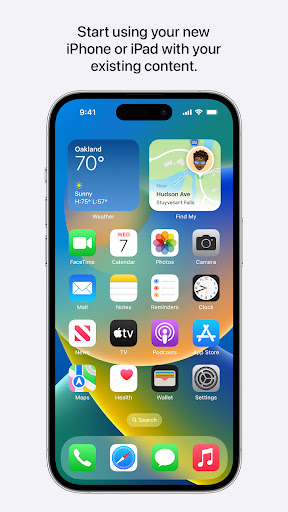
Make sure to keep your devices nearby and connected to power until the transfer is complete. When you choose to migrate your data, your new iPhone or iPad will create a private Wi-Fi network and find your nearby Android device running Move to iOS. After you enter a security code, it will begin transferring your content and put it in the right places. Just like that. Once your content has been transferred, you’re ready to get going. That’s it — you can start using your new iPhone or iPad and experiencing its endless possibilities. Enjoy.
Required App Permission
Location: To establish a Wi-Fi connection between the Android device and the iPhone or iPad, which is needed to migrate the data.
Optional App Permission
- SMS: To migrate your text messages, including multi-media messages and group chats, on iPhone or iPad.
- Photos and Videos: To migrate your photos, videos, and related metadata to iPhone or iPad.
- Notifications: To allow local Android notifications about the status of your migration to iPhone or iPad.
- Contacts: To migrate your contacts to iPhone or iPad.
- Music and Audio: To migrate your downloaded media, audio recordings, and voice memos to iPhone or iPad.
- Phone: To migrate your SIM and carrier information so you can make and manage phone calls on iPhone or iPad.
- Calendar: To migrate your calendar events to iPhone or iPad.
- Call Logs: To migrate your call history to iPhone or iPad.
You can use Move to iOS even without providing consent to any of the above optional app permissions. However, some features of the service may not be available.
App-info
Wat is nieuw
- Improves the reliability of transferring text messages
- Improves the accuracy of transfer progress
- Fixes an issue where a transfer may unexpectedly stop
App-machtigingen
-
Device & app history
- read your Web bookmarks and history
-
Identity
- find accounts on the device
-
Calendar
- read calendar events plus confidential information
-
Contacts
- find accounts on the device
- read your contacts
-
Location
- approximate location (network-based)
- precise location (GPS and network-based)
-
SMS
- read your text messages (SMS or MMS)
-
Phone
- read call log
- read phone status and identity
-
Photos/Media/Files
- read the contents of your USB storage
- modify or delete the contents of your USB storage
-
Storage
- read the contents of your USB storage
- modify or delete the contents of your USB storage
-
Wi-Fi connection information
- view Wi-Fi connections
-
Device ID & call information
- read phone status and identity
-
Other
- view network connections
- read battery statistics
- change network connectivity
- allow Wi-Fi Multicast reception
- connect and disconnect from Wi-Fi
- full network access
- prevent device from sleeping


Beoordelingen en recensies
waiting so much hours just for the transfer to fail.
this app is very helpful app i love this app so much I think you all should go for this app
it's too helpful
This app is amazing working.
Terrible app. The pictures that were exported from my Samsung phone to my iPhone did not have dates, so they are all jumbled up. Not helpful at all.
doesnt work. dont waste your time. i had to reinstall ios few times . freezing all the time