

blockit | stop phone addiction
Productivity



Over deze app
— Sam Beckman
🎨 "Sure, there are other apps out there that do the same thing, but this one has by far the best design."
— HowToMen
📵 "This is a great app if you are really addicted to your phone."
— Sillycorns
_______
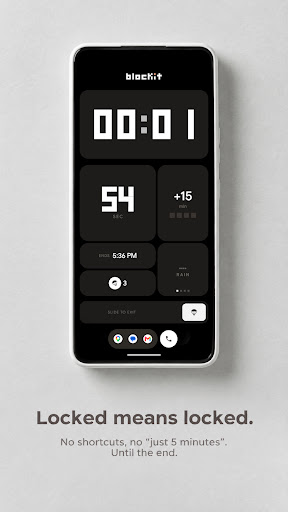
blockit completely blocks your phone for the time you choose. No shortcuts, no "just five minutes": once the session starts, your phone stays locked until the time is up.
STUDY, WORK, SLEEP
Pick the duration with the wheel, start the session, and your phone steps aside. If you try to open an app during a block, blockit brings you right back to the session screen.
THE SUITCASE
Before you start, pack the apps you truly need (maps, music, emergency messages): only those stay usable during the block.
THE PARACHUTE
The only way out before the end is to use a parachute. You get one to start with: spend it wisely, or get more from the app.
THE TOWER
Every day of focus builds a floor of your tower. Stay consistent and watch it grow, week after week.
AUTOMATIC ROUTINES
Schedule recurring sessions (for example every evening to sleep better): they start on their own, at the time you choose.
AND MORE
• Statistics of your focus time
• Home screen widget to start a session instantly
• Nothing Phone Glyph integration
• Cloud backup of your sessions with your Google account
――――――――――――――――――――――――――――
USE OF THE ACCESSIBILITY SERVICE (AccessibilityService API)
blockit uses Android's AccessibilityService API for one single purpose, the core of the app: keeping the block in place during a session. The "blockit · Session block" service detects which app is brought to the foreground while a session is active and, if it isn't one of the apps you packed in your suitcase, it brings you back to the block screen.
The service does NOT read your screen content and does NOT collect, store, or share any personal or sensitive data. The only information used is the package name of the foreground app, processed on-device only and only while a session is active. The service does nothing when no session is running.
Enabling it is optional and requires your explicit consent in the system settings, but without it blockit cannot prevent the use of other apps during a block.
App-info
Wat is nieuw
• Sounds stop on their own when another app plays audio.
• Tower: a tap on a repaired day opens its card, the streak number rebuilds cleanly in the top pill, best day and total time now read as hours and minutes.
• Shop pages scroll edge to edge, sheets share one look, the suitcase pill opens centered.
• Fixed a crash on 32-bit phones and a crash at boot before unlock.
App-machtigingen
-
Other
- update component usage statistics
- view network connections
- full network access
- run at startup
- draw over other apps
- control vibration
- prevent device from sleeping
- Google Play license check
- read Google service configuration

Beoordelingen en recensies
Everything is great, but there are two main concerns: 1. Every time I open the app, 'Accessibility services' somehow turn off automatically; I have to grant permission to enable them each time before the app will open. 2. When the block is active, if I click on 'Ultra Battery Saver' and then disable it, the block gets removed as well. Initially, it was a floating window that allowed me to use other features, but Blockit no longer supports floating windows. They should do something about this
💥📈🔥
the slide to strt not working on landscape mode pls fix it
Alhamdulillah 💖
they need to ban this shitttttt
it works on tablet now cool


