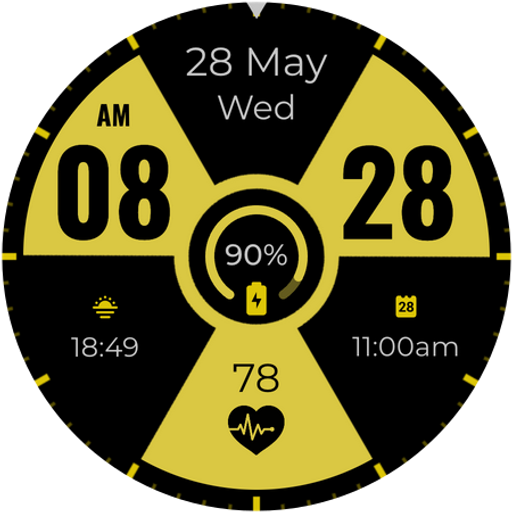
WIN Nuclear PRO Watch face
Personalization
4.3
17.4K+ Pobrania
"Modern themed Digital Watch Face with lots of features and clear rendering"
Zainstaluj w Google Play
Paid App






O tej aplikacji
A modern themed digital watch face for Wear OS, packed with features and crisp visuals.
Hello friends!
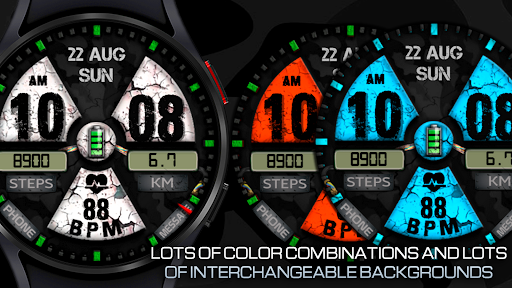
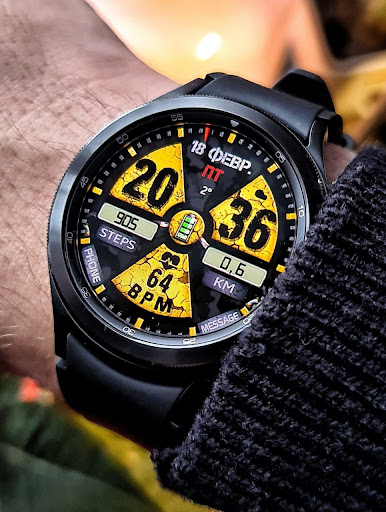
Radioactive themed watch face with background color settings and many other useful features!
Basic moments:
- 12-24 hours
- Steps
- Pulse
- Battery
- Date
- Ability to change styles (backgrounds)
- Ability to change color
- Custom complications
- AOD mode
Compatible with Wear OS devices running API level 30 and above, including Samsung Galaxy Watch 4, 5, 6, 7, 8 and Pixel Watch.
**Installation**
1. Install the watch face app on your phone.
2. Make sure your Wear OS watch is connected to your phone and uses the same Google account.
3. Select your watch as the installation device and complete the installation.
4. After installation, select the watch face from your watch face gallery.
If installation is delayed, check the internet connection on both devices, wait a minute or two, or restart your watch and try again.
**Customization**
• Touch and hold the watch face, then tap **Customize** to access the available settings.
• For the best experience, we recommend configuring the watch face directly on your watch. Video guide:
https://youtu.be/YPcpvbxABiA
**Support**
If you have any questions or installation issues, please contact:
[[email protected]](mailto:[email protected])
**More watch faces by WIN**
Explore other watch faces:
https://play.google.com/store/apps/dev?id=6789054753742990227
Hello friends!
Radioactive themed watch face with background color settings and many other useful features!
Basic moments:
- 12-24 hours
- Steps
- Pulse
- Battery
- Date
- Ability to change styles (backgrounds)
- Ability to change color
- Custom complications
- AOD mode
Compatible with Wear OS devices running API level 30 and above, including Samsung Galaxy Watch 4, 5, 6, 7, 8 and Pixel Watch.
**Installation**
1. Install the watch face app on your phone.
2. Make sure your Wear OS watch is connected to your phone and uses the same Google account.
3. Select your watch as the installation device and complete the installation.
4. After installation, select the watch face from your watch face gallery.
If installation is delayed, check the internet connection on both devices, wait a minute or two, or restart your watch and try again.
**Customization**
• Touch and hold the watch face, then tap **Customize** to access the available settings.
• For the best experience, we recommend configuring the watch face directly on your watch. Video guide:
https://youtu.be/YPcpvbxABiA
**Support**
If you have any questions or installation issues, please contact:
[[email protected]](mailto:[email protected])
**More watch faces by WIN**
Explore other watch faces:
https://play.google.com/store/apps/dev?id=6789054753742990227
Informacje o aplikacji
Wersja
Zaktualizowano w dniu
Oct 02, 2026
Rozmiar
Wymaga Androida
ID pakietu
com.watchfacestudio.nuclearproorig
Instalacje
17.4K+
Kategoria
Personalization
Co nowego
Wear OS update
- New backgrounds added
- The problem with the pulse indicator has been completely fixed
- Added the ability to set the probability of rain in options
- New backgrounds added
- The problem with the pulse indicator has been completely fixed
- Added the ability to set the probability of rain in options
Uprawnienia aplikacji
-
Other
- full network access

Oceny i opinie
4.3
Ogólne oceny
5
4
3
2
1
A
Angus Ladyman-Palmer
Aug 09, 2026
Love the design.
r
retina storm
Dec 17, 2025
nice watch face easy to use
C
Chris Davies
Dec 15, 2025
great watch face and options
E
Erik Castillo
Nov 02, 2025
cool face. it would be neat to be able to change the color of the battery in the middle individually.
J
Jamey Brodak
Nov 01, 2025
love it!
J
Jerome Green
Aug 25, 2025
Easy to read