

AnyDesk Remote Desktop
Business
2.8
107M+ Downloads
"Remote access from anywhere. Fast and secure. All operating systems and devices"



Sobre este app
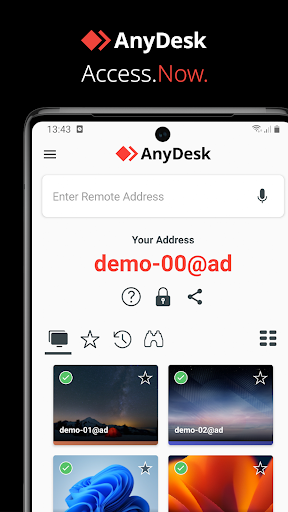
Powerful Remote Assistance Software. Whether you're in the office next door or on the other side of the world, remote access via AnyDesk makes the connection possible. Secure and reliable, for IT professionals as well as private users.
AnyDesk is ad-free and free for personal use. For commercial use visit: https://anydesk.com/en/order
Whether you're in IT support, working from home, or a student studying remotely, AnyDesk's remote desktop software has a solution for you, allowing you to connect to remote devices securely and seamlessly.
AnyDesk offers a wide range of remote desktop functions such as:
• File Transfer
• Remote Printing
• Wake-On-LAN
• Connection via VPN
and much more
The AnyDesk VPN feature allows the creation of a private network between local connecting and remote clients, providing additional security to users. It is important to note that it is not possible to access devices on the remote client's local network or vice versa. Nevertheless, after successfully connected over VPN, the following programs can be used over VPN:
• SSH – Ability to access the Remote Device over SSH
• Gaming – Ability to access a LAN-Multiplayer Game over the Internet.
For an overview of the features, visit: https://anydesk.com/en/features
If you are interested in more information, head to our Help Center by visiting: https://support.anydesk.com/knowledge/features
Why AnyDesk?
• Outstanding performance
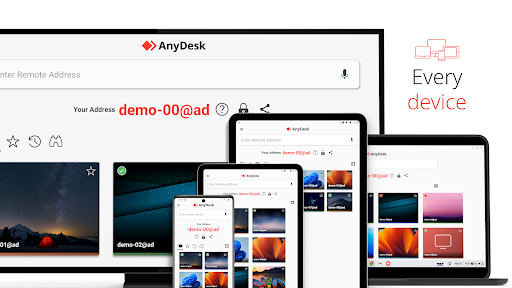
• Every operating system, every device
• Banking-standard encryption
• High frame rates, low latency
• In the Cloud or On-Premises
Every operating system, every device. Download the latest AnyDesk version for all platforms here: https://anydesk.com/en/downloads
Quick Start Guide
1. Install and launch AnyDesk on both devices.
2. Enter the AnyDesk-ID that is displayed on the remote device.
3. Confirm the access request on the remote device.
4. Done. You can now control the remote device remotely.
To verify the integrity of your AnyDesk software visit https://help.anydesk.com/en/anydesk-validation
Do you have any questions? Contact us! https://anydesk.com/en/contact
Info do App
Versão
9.1.0
Atualizado em
Nov 09, 2026
Tamanho
Requer Android
5.0
ID do pacote
com.anydesk.anydeskandroid
Instalações
107M+
Categoria
Business
O que há de novo
New Features
* Support for new plugins.
* Language can now also be changed in-app on Android 13 and higher.
* Improved and harmonized focus indication.
* AD-One: Improved layouts for small screens.
* AD-One: Improved input handling.
Fixed Bugs
* Fixed online states still being visible after disabling them in the settings.
* Minor UX fixes.
* Improved stability.
* Assembly: Fixed crash when setting user image.
* AD-One: Fixed speed dial items scrolling to top when closing context menu.
Permissões do aplicativo
-
Photos/Media/Files
- read the contents of your USB storage
- modify or delete the contents of your USB storage
-
Storage
- read the contents of your USB storage
- modify or delete the contents of your USB storage
-
Camera
- take pictures and videos
-
Microphone
- record audio
-
Other
- press keys and control buttons
- view network connections
- full network access
- run at startup
- draw over other apps
- control vibration
- prevent device from sleeping
- install shortcuts


Avaliações e resenhas
2.8
Total de avaliações
5
4
3
2
1
S
Suganya A
Nov 26, 2026
unable to unlock the password because who was done don't know need to reset but while forgot password only option showing security question unable to reset means which is very bad
F
Fareed
Nov 26, 2026
it's keep disconnected
A
Adam Ndiize
Nov 25, 2026
Amazing
A
Arjun Kumar
Nov 24, 2026
good but open nhi ho raha hai
s
shaaar sha
Nov 24, 2026
bad
S
SGT Phil Whitehead
Nov 24, 2026
absolutely worthless to me
Apps semelhantes

LocalSend: Transfer Files
Tien Nam Do
4.5

Android System WebView Canary
Google LLC
4.1

TeamViewer Remote Control
TeamViewer
4.4

Ajax Security System
Ajax Systems Inc
4.4

DeskIn Remote Desktop
ZULER TECHNOLOGY PTE. LTD.
4.0

MagellanTV Documentaries
MagellanTV Documentaries
4.2
Mais do desenvolvedor
AnyDesk Remote Desktop
AnyDesk Software GmbH
2.8
AnyDesk plugin ad1
AnyDesk Software GmbH
2.6

AnyDesk plugin savortex1
AnyDesk Software GmbH
4.1

AnyDesk plugin formulergtv1
AnyDesk Software GmbH
4.4

AnyDesk plugin honeywell2
AnyDesk Software GmbH
0.0

AnyDesk plugin philips_24BDL..
AnyDesk Software GmbH
4.3