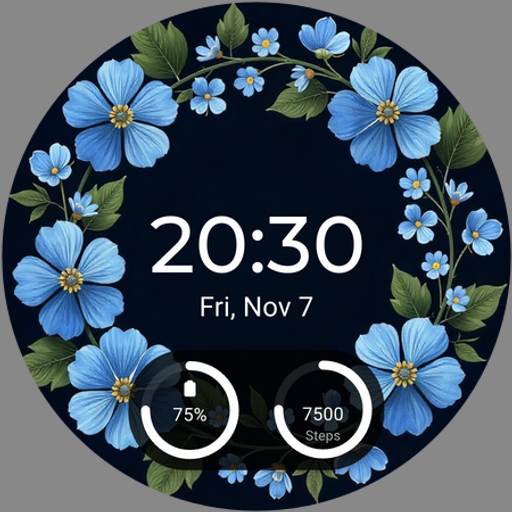
Turbo Dash 1 Watch face
Personalization
0.0
0 Загрузки
"Car lovers watch face: animated dashboard, battery, steps, 12h/24h time and AOD"
Установить в Google Play
Платное приложение


Об этом приложении
Turbo Dash 1 – Car Dashboard Watch Face for Wear OS
Built for car lovers and vehicle enthusiasts, Turbo Dash 1 brings a premium car dashboard to your wrist. A dark carbon and metal design, gauge-style readouts and bold digital time give your smartwatch the look of a performance car cockpit.
Animated dashboard
The dashboard animates when your watch wakes up, and the animation takes on the accent color you choose.
Over 25 colors
Choose from more than 25 accent colors, including red, yellow, gold, blue and green. The gauges, minutes, day indicator and animation all follow the color you pick.
Dashboard gauges
• FUEL – battery percentage with an arc gauge
• ODO – daily step count with an arc gauge
• One configurable complication in the bottom dial, such as heart rate
Features
• Bold digital time, 12h and 24h
• Date display
• Weekday bar with a current-day indicator
• Battery percentage (FUEL gauge)
• Step count (ODO gauge)
• 1 configurable complication
• Animation with over 25 color options
• Always-On Display (AOD) mode
Always-On Display (AOD)
AOD mode switches to a dark, minimal layout that keeps the time, date, battery, heart rate and steps visible while using less power.
How to apply
1. Install the watch face on your Wear OS watch.
2. Long-press the current watch face.
3. Find Turbo Dash 1 and tap to apply.
4. Tap Customize to choose a color and set the complication.
Compatibility
Works with Wear OS watches with round displays, including Samsung Galaxy Watch (Wear OS models) and Google Pixel Watch.
Privacy
This watch face does not collect, store or share any personal data. All data is shown only on your watch.
Built for car lovers and vehicle enthusiasts, Turbo Dash 1 brings a premium car dashboard to your wrist. A dark carbon and metal design, gauge-style readouts and bold digital time give your smartwatch the look of a performance car cockpit.
Animated dashboard
The dashboard animates when your watch wakes up, and the animation takes on the accent color you choose.
Over 25 colors
Choose from more than 25 accent colors, including red, yellow, gold, blue and green. The gauges, minutes, day indicator and animation all follow the color you pick.
Dashboard gauges
• FUEL – battery percentage with an arc gauge
• ODO – daily step count with an arc gauge
• One configurable complication in the bottom dial, such as heart rate
Features
• Bold digital time, 12h and 24h
• Date display
• Weekday bar with a current-day indicator
• Battery percentage (FUEL gauge)
• Step count (ODO gauge)
• 1 configurable complication
• Animation with over 25 color options
• Always-On Display (AOD) mode
Always-On Display (AOD)
AOD mode switches to a dark, minimal layout that keeps the time, date, battery, heart rate and steps visible while using less power.
How to apply
1. Install the watch face on your Wear OS watch.
2. Long-press the current watch face.
3. Find Turbo Dash 1 and tap to apply.
4. Tap Customize to choose a color and set the complication.
Compatibility
Works with Wear OS watches with round displays, including Samsung Galaxy Watch (Wear OS models) and Google Pixel Watch.
Privacy
This watch face does not collect, store or share any personal data. All data is shown only on your watch.
Информация о приложении
Версия
Обновлено
N/A
Размер
Требует Android
ID пакета
com.mpw.turbodash1
Установок
0
Категория
Personalization