Quick Share: File Transfer App
Libraries & Demo
3.1
946.4K+ Загрузки
"Fast File Transfer App,Easy file sharing without data loss, Secure data sharing."


Об этом приложении
Introducing Quick Share: File Transfer App, Your Ultimate Phone Data Sharing & Transfer Solution 🚀
Transfer files from one phone to another Phone easily using the Fast Share, Send Anywhere File Transfer tool. Share photos, videos, and files from one phone to another with the Quick File Sharing & all Data Transfer app.📱 File Transfer: Copy My Data for Android lets you share files quickly, safely, and effortlessly, making secure file sharing faster than ever.
📤 All DataTransfer app for Android comes with a smooth UX/UI design, making quick sharing and data transfer easier than ever, send anywhere instantly and securely.
Quick Share: Phone Clone lets users easily copy all data, photos, videos, contacts, and apps, from an old phone to a new one through fast and secure wireless Smart Data transfer.
Quick Share: Cloud Backup offers secure cloud and link sharing, letting you back up, access, and File share your photos, videos, and documents privately anytime, anywhere.
Quick File Share: File Transfer App Features
✔️ File Transfer Tool – All Data Transfer Easily.
✔️ Smart Data Transfer – Quick File Sharing.
✔️ Content Transfer – Phone Clone.
✔️ Contact Transfer Quickly.
✔️ Phone Clone for Android.
✔️ File Transfer – Mobile to Mobile.
✔️ Cloud File Transfer – Send Anywhere.
✔️ Duplicate File Remover.
✔️ Duplicate Content Remover.
✔️ QR Code Reader & Scanner.
Seamlessly transfer content from one phone to another with Phone Clone Smart File Transfer, the ultimate solution for easy and secure Smart data sharing.
Quick File Share: File Transfer lets you send data anywhere from phone to phone, making file sharing fast, easy, and secure Transfer All Data.
All Data Transfer: Quick File Sharing, Copy My Data is an easy and reliable Smart data transfer tool for sharing videos, music, photos, Apk,contact Documents etc and files share from your old phone to your new phone. This Android file transfer offline app efficiently lets you Quickly share phone content and copy all your data with a single click. No need to worry about switching devices, as Quick Share works as a smart phone file sharing solution, enabling fast and secure file Sharing App.
Why You Should Try Quick Share: File Transfer App
🔹 Reliable All data transfer tool – easily share files without data loss.
🔹 Content transfer made simple.
🔹 Fast and organized file sharing.
🔹 Works offline, Quick Share: Smart Data transfer allows seamless Sharing without internet.
Quick Share: Phone clone:
Copy my data with Quick Share: Phone Clone and transfer everything from your old phone to new phone quickly and securely.Easily clone your phone with Quick Share: Copy photos, videos, contacts, and apps to your new Mobile ,fast and secure Switch Phone Data.
Smart All Data Transfer App For Android
Quickly copy all your files, contacts, photos, and Apk to any Android device with Quick Share: Smart Transfer ALL Data App.
Easy File Sharing: All DataTransfer lets you send files anywhere, including contacts, photos, music, videos, documents, apps, and more, from your old phone to new one with help of Quick File Transfer: Data Sharing App.
Transfer All Data Tool - Cloud File Sharing
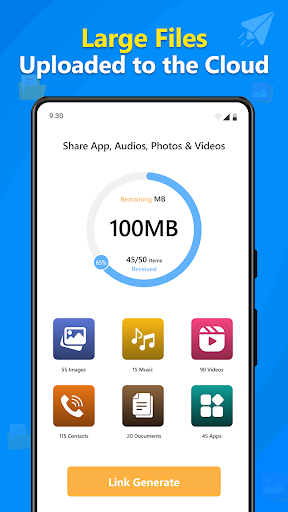
All Data Transfer: Copy My Data – Smart Transfer ALL Data app introduces secure cloud storage for your digital world, lets you backup phone data, including apps, photos, videos, and documents, to the cloud.Quick Share Large Size File, Easily generate shareable links, transfer files anywhere, and enjoy fast, private, and secure file sharing.
Duplicate File Remover.
Quick Share Duplicate File Remover safely detects and deletes duplicate files on your device.
Qr Scanner or Qr Reader
Quick File Transfer: QR Scanner lets you quickly scan and read QR codes for links, contacts, and more.
Quick Sharing: File Transfer 📲 makes moving your All Data simple and secure. Share with friends and family instantly, safely, and without worries! 🚀
Информация о приложении
Версия
1.1.8
Обновлено
Nov 17, 2026
Размер
Требует Android
8.0
Установок
946.4K+
Категория
Libraries & Demo
Что нового
- Quick File Share Minor Bugs Fixed.
- Cloud Backup Update.
- Cloud Link Share Download Issue Fixed.
Разрешения приложений
-
Contacts
- read your contacts
-
Location
- approximate location (network-based)
- precise location (GPS and network-based)
-
Photos/Media/Files
- read the contents of your USB storage
- modify or delete the contents of your USB storage
-
Storage
- read the contents of your USB storage
- modify or delete the contents of your USB storage
-
Camera
- take pictures and videos
-
Wi-Fi connection information
- view Wi-Fi connections
-
Other
- receive data from Internet
- view network connections
- change network connectivity
- allow Wi-Fi Multicast reception
- connect and disconnect from Wi-Fi
- full network access
- control vibration
- prevent device from sleeping
- modify system settings
- Google Play license check


Рейтинги и отзывы
3.1
Всего оценок
5
4
3
2
1
F
Fawas __
Nov 25, 2026
worst app and it's paid full of ads don't fall for it just fake and useless
J
John Lester Losinada
Nov 25, 2026
too much ads
J
Jopo Capino
Nov 23, 2026
so many ads
R
Rajat sharma
Nov 22, 2026
this is not a file transfer app this is only the advertise app not able to use this app because of a lots of advertise which covers all the content of the app don't install this app.
C
Comprehensible
Nov 22, 2026
nice
J
Joshua Hamstad
Nov 22, 2026
this app is just addware spyware can't even navigate through the app without ads popping up every half second. complete trash