

Multiple Accounts: Dual Space
Tools


Om denna app
- Do you want to use multiple WhatsApp or Facebook accounts on one device?
- Do you want to separate your personal and professional accounts into their own dual spaces?
- Are you a competitive gamer looking for an edge in your favorite mobile game?
Choose Multiple Accounts! As one of the most downloaded, best rated cloning apps on the market, we help millions of users run dual or multiple accounts across top social and gaming apps, including: WhatsApp, Facebook, Instagram, Line, Google Play Services - and today’s most played mobile games like FreeFire, Mobile Legends, LOL and Rise of Kingdoms!
Key Features
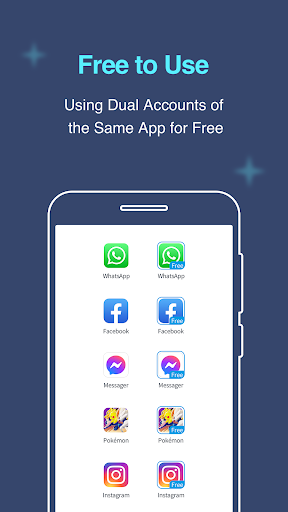
Clone popular Social and Gaming Apps; access multiple accounts at the same time on one device.
✓ Enjoy support for almost all major apps and top games! Use multiple WhatsApp, dual Facebook, or duplicate Instagram accounts at the same time.
✓ Gain advantage with dual accounts in top mobile games and have double the fun!
✓ Data from these accounts will never interfere with the others.
Keep dual professional and personal accounts in dual spaces.
✓ Maintain a good work life balance and keep your profiles separate.
✓ Easily switch between work and personal accounts.
✓ Ensure that your work data and contacts never mingle with your personal data.
Gain access to Exclusive Features by becoming a VIP Member.
✓ Have unlimited accounts in the same app and use them online simultaneously!
✓ Protect sensitive data with Security Lock.
✓ Enjoy privacy by making apps invisible when you move them to the Secret Zone.
Highlights
★ Stable, secure, efficient, easy-to-use, support for a broad range of apps and devices.
★ We support Android 14 and Android 15!
Notes:
• Permissions: Multiple Accounts requires the same permissions that all major apps request in order to operate normally. Multiple Accounts app does not use these permissions for any other purpose.
• Data & Privacy: To protect user privacy, Multiple Accounts does not collect or store any personal information.
• Resources: Multiple Accounts does not use any additional memory, battery, or data to run apps. However, cloned apps use their typical amount of these resources when running.
• Notifications: Enable all relevant Notification permissions in your device’s settings for Multiple Accounts to ensure you receive notifications from all logged-in accounts.
If you have any questions, concerns, or suggestions, please contact us via the “Feedback” feature inside Multiple Accounts, or send an email to [email protected].
Follow our Facebook page for tips on using Multiple Accounts: https://www.facebook.com/multipleaccountsapp
Appinfo
Vad är nytt
2.Fixed some known bugs.
3.Fully compatible with Android 16.
Appbehörigheter
-
Device & app history
- retrieve running apps
- read sensitive log data
- read your Web bookmarks and history
-
Cellular data settings
- change/intercept network settings and traffic
-
Identity
- find accounts on the device
- add or remove accounts
- read your own contact card
- modify your own contact card
-
Calendar
- read calendar events plus confidential information
- add or modify calendar events and send email to guests without owners' knowledge
-
Contacts
- find accounts on the device
- read your contacts
- modify your contacts
-
Location
- approximate location (network-based)
- precise location (GPS and network-based)
- access extra location provider commands
-
Phone
- directly call phone numbers
- modify phone state
- read phone status and identity
- make/receive SIP calls
- add voicemail
-
Photos/Media/Files
- access USB storage filesystem
- read the contents of your USB storage
- modify or delete the contents of your USB storage
-
Storage
- read the contents of your USB storage
- modify or delete the contents of your USB storage
-
Camera
- take pictures and videos
-
Microphone
- record audio
-
Wi-Fi connection information
- view Wi-Fi connections
-
Device ID & call information
- read phone status and identity
-
Other
- access the cache filesystem
- Access download manager.
- connect and disconnect from WiMAX
- control system backup and restore
- choose widgets
- delete other apps' data
- power device on or off
- download files without notification
- interact across users
- manage document storage
- update component usage statistics
- Read install sessions
- read your social stream
- read sync statistics
- close other apps
- adjust your wallpaper size
- read subscribed feeds
- write subscribed feeds
- transmit infrared
- modify battery statistics
- modify/delete internal media storage contents
- modify secure system settings
- write to your social stream
- Read email attachments
- read Home settings and shortcuts
- write Home settings and shortcuts
- read Home settings and shortcuts
- write Home settings and shortcuts
- receive data from Internet
- view configured accounts
- access other Google services
- YouTube usernames
- AdSense
- AdWords
- Google App Engine
- Blogger
- Google Calendar
- contacts data in Google accounts
- Dodgeball
- Google Finance
- Google Base
- Google Voice
- Google Groups
- Google Health
- iGoogle accounts
- JotSpot
- Knol
- Picasa Web Albums
- Google Maps
- Google mail
- Google mobile apps
- Google News
- Google Notebook
- Orkut
- Google Book Search
- Google Webmaster Tools
- Google Voice Search
- Personalized Speech Recognition
- Google Talk
- Google Wi-Fi
- Google Spreadsheets
- Google Docs
- YouTube
- read instant messages
- write instant messages
- mock location sources for testing
- view network connections
- act as the AccountManagerService
- create accounts and set passwords
- read battery statistics
- pair with Bluetooth devices
- access Bluetooth settings
- send sticky broadcast
- change network connectivity
- allow Wi-Fi Multicast reception
- connect and disconnect from Wi-Fi
- Change WiMAX state
- delete all app cache data
- disable your screen lock
- expand/collapse status bar
- control flashlight
- measure app storage space
- full network access
- close other apps
- change your audio settings
- control Near Field Communication
- make app always run
- read sync settings
- read terms you added to the dictionary
- run at startup
- reorder running apps
- set time zone
- set wallpaper
- send Linux signals to apps
- draw over other apps
- use accounts on the device
- control vibration
- prevent device from sleeping
- modify system settings
- toggle sync on and off
- add words to user-defined dictionary
- set an alarm
- write web bookmarks and history
- install shortcuts
- uninstall shortcuts
- Google Play license check
- read Google service configuration


Betyg och recensioner
I am using Samsung Galaxy S25 Ultra with Android 17 and Multiple Accounts version 5.8.4. After the Samsung software update, cloned Google Chrome, Chrome Beta and Chrome Dev show a white blank screen and websites do not load. Normal Chrome works perfectly. Other cloned browsers inside Multiple Accounts also work. I have tried clearing cache, restarting the phone and One Key Repair, but nothing fixed the issue. Please check Android 17 compatibility and provide a fix without deleting my cloned app
Good and safety app
good
nice
best of all
good app
Liknande appar

Multiple Accounts - Assist

Clone App-Parallel Dual Space

Screen Recorder Video Recorder

Hacker: Secret Codes & Ciphers

Parallel: Your Hangout Place
