



เกี่ยวกับแอปนี้
Discover the right care for your skin
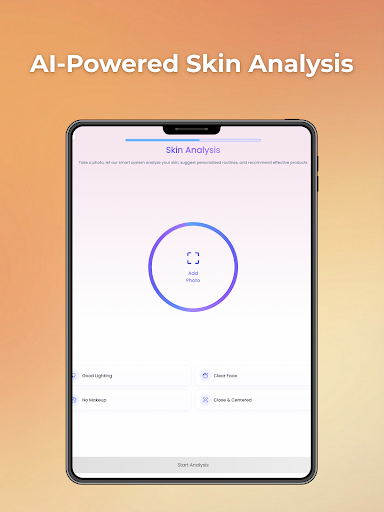
Facemate – AI Skin Scanner is an AI-powered skincare app that analyzes your skin and creates a personalized skincare plan tailored to your unique needs.
Simply take a selfie or upload a photo. Facemate evaluates your skin condition in detail and helps you understand what your skin truly needs.
Disclaimer: Facemate is for informational and educational purposes only. It does not provide medical advice, diagnoses, or treatment recommendations. Always consult a qualified healthcare professional with any questions regarding your health.
Key Features
Instant Skin Analysis: Fast, comprehensive assessment via selfie or photo upload.
Detailed Skin Scores: Personalized ratings for hydration, texture, tone, and smoothness.
Personalized Skincare Routines: Step-by-step plans based on your skin type and lifestyle.
Smart Product Recommendations: Discover products matching your specific needs.
Weekly Skin Tracking: Monitor your progress with consistent weekly scans.
Daily Reminders & Notifications: Stay on track with smart alerts.
Before & After Comparisons: Visually track improvements over time.
Facemate – AI Skin Scanner is an AI-powered skincare app that analyzes your skin and creates a personalized skincare plan tailored to your unique needs.
Simply take a selfie or upload a photo. Facemate evaluates your skin condition in detail and helps you understand what your skin truly needs.
Disclaimer: Facemate is for informational and educational purposes only. It does not provide medical advice, diagnoses, or treatment recommendations. Always consult a qualified healthcare professional with any questions regarding your health.
Key Features
Instant Skin Analysis: Fast, comprehensive assessment via selfie or photo upload.
Detailed Skin Scores: Personalized ratings for hydration, texture, tone, and smoothness.
Personalized Skincare Routines: Step-by-step plans based on your skin type and lifestyle.
Smart Product Recommendations: Discover products matching your specific needs.
Weekly Skin Tracking: Monitor your progress with consistent weekly scans.
Daily Reminders & Notifications: Stay on track with smart alerts.
Before & After Comparisons: Visually track improvements over time.
ข้อมูลแอป
เวอร์ชัน
อัปเดตเมื่อ
N/A
ขนาด
ต้องการ Android
รหัสแพ็คเกจ
com.perasoft.skincare
การติดตั้ง
397
หมวดหมู่
Beauty
สิทธิ์ของแอป
-
Location
- approximate location (network-based)
- precise location (GPS and network-based)
-
Photos/Media/Files
- read the contents of your USB storage
- modify or delete the contents of your USB storage
-
Storage
- read the contents of your USB storage
- modify or delete the contents of your USB storage
-
Camera
- take pictures and videos
-
Microphone
- record audio
-
Other
- bind to a notification listener service
- receive data from Internet
- view network connections
- full network access
- prevent device from sleeping
- Google Play license check
- read Google service configuration


