

Bold Horizon SMA Watch Face-42
Personalization
0.0
36 ดาวน์โหลด
"Digital Wear OS watch face displaying time, date, heart rate, battery, and Steps"
ติดตั้งบน Google Play
แอปเสียเงิน


เกี่ยวกับแอปนี้
This smartwatch display features a modern and user-friendly interface, providing essential time and health-related information.
Time Display: Shown in a bold digital font for easy readability.
Date Indicator: Clearly displayed to help users stay updated.
Heart Rate Monitor: Tracks cardiovascular activity in real time.
Battery Level Indicator: Ensures awareness of remaining charge.
Step Counter: Helps track daily activity levels for a healthier lifestyle.
The sleek design, with a dark background and contrasting text, enhances both visibility and aesthetics, making it stylish and functional.
Why Choose Us:
Innovative Design: Our team of designers and engineers are committed to providing you with the latest in smartwatch technology and aesthetics.
Reliable Performance: Enjoy a watch face that not only looks great but performs flawlessly, keeping you updated with the most accurate information.
Upgrade your smartwatch experience today with our watch face app. Stay connected, stay informed, and stay stylish.
Download Now and take the first step towards a smarter, more elegant watch face experience.
★ FAQ
Q: Do your watch faces support Samsung Active 4 and Samsung Active 4 Classic?
A: Yes, our watch faces support WearOS smartwatches.
Q: How to install the watch face?
A: Follow these steps:
1. Open the Google Play Store app on your watch
2. Search for the watch face
3. Press the install button
Q: I bought the app on my phone, do I have to buy it again for my watch?
A: You should not have to buy it again. Sometimes the Play Store takes a bit longer to figure out that you already bought the app. Any additional order will automatically be refunded by Google, you will receive the money back.
Q: Why I can not see steps or activity data in a built-in complication?
A: Some of our watch faces come with Built-in steps and Google Fit steps. If you select built-in steps, ensure that you grant activity recognition permission. If you select Google Fit steps complication, please use the watch face companion app where you can grant permission on Google Fit to log your data.
Note also that Google Fit sometimes won’t show your real-time data due to its caching sync issues. We are also working to implement Samsung Health for Samsung phone devices.
Time Display: Shown in a bold digital font for easy readability.
Date Indicator: Clearly displayed to help users stay updated.
Heart Rate Monitor: Tracks cardiovascular activity in real time.
Battery Level Indicator: Ensures awareness of remaining charge.
Step Counter: Helps track daily activity levels for a healthier lifestyle.
The sleek design, with a dark background and contrasting text, enhances both visibility and aesthetics, making it stylish and functional.
Why Choose Us:
Innovative Design: Our team of designers and engineers are committed to providing you with the latest in smartwatch technology and aesthetics.
Reliable Performance: Enjoy a watch face that not only looks great but performs flawlessly, keeping you updated with the most accurate information.
Upgrade your smartwatch experience today with our watch face app. Stay connected, stay informed, and stay stylish.
Download Now and take the first step towards a smarter, more elegant watch face experience.
★ FAQ
Q: Do your watch faces support Samsung Active 4 and Samsung Active 4 Classic?
A: Yes, our watch faces support WearOS smartwatches.
Q: How to install the watch face?
A: Follow these steps:
1. Open the Google Play Store app on your watch
2. Search for the watch face
3. Press the install button
Q: I bought the app on my phone, do I have to buy it again for my watch?
A: You should not have to buy it again. Sometimes the Play Store takes a bit longer to figure out that you already bought the app. Any additional order will automatically be refunded by Google, you will receive the money back.
Q: Why I can not see steps or activity data in a built-in complication?
A: Some of our watch faces come with Built-in steps and Google Fit steps. If you select built-in steps, ensure that you grant activity recognition permission. If you select Google Fit steps complication, please use the watch face companion app where you can grant permission on Google Fit to log your data.
Note also that Google Fit sometimes won’t show your real-time data due to its caching sync issues. We are also working to implement Samsung Health for Samsung phone devices.
ข้อมูลแอป
เวอร์ชัน
อัปเดตเมื่อ
N/A
ขนาด
ต้องการ Android
รหัสแพ็คเกจ
com.smadesign.bold_horizon
การติดตั้ง
36
หมวดหมู่
Personalization
สิทธิ์ของแอป
-
Wearable sensors/Activity data
- body sensors (like heart rate monitors)
-
Other
- reorder running apps
- control vibration
- prevent device from sleeping
- Google Play license check


แอปที่คล้ายกัน

MAHO001 Wear OS Watch Face
Beluga Software
0.0
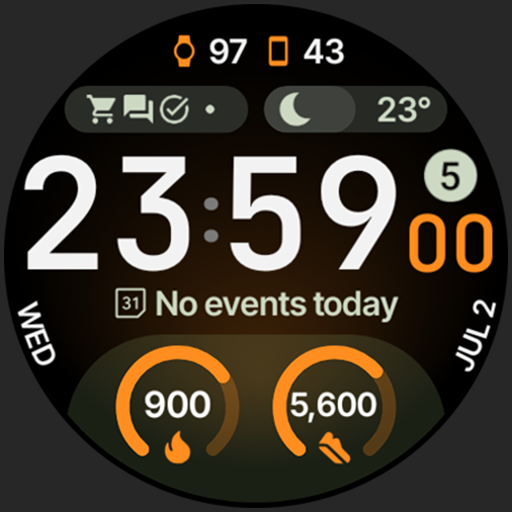
TrackMate Watch Face
amoledwatchfaces™
4.6
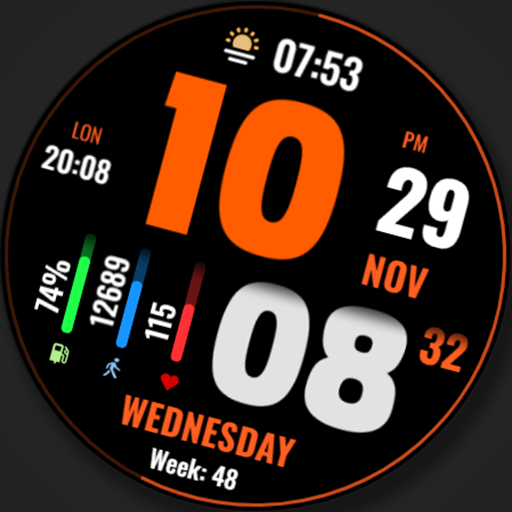
WFP 219 Stylish watch face
WFProduction by Alexandr Kovalev
4.5

DADAM116: Digital Watch Face
DADAM Watch Faces
0.0

Digital Watch Face CRC068
Creation Cue
4.9

HKR051
HKR WATCHFACE
0.0
เพิ่มเติมโดยนักพัฒนา

Neo Tech SMA Watch Face-43
SMA Design Watch Faces
0.0
Bold Horizon SMA Watch Face-42
SMA Design Watch Faces
0.0

Gear Sync Watch Face SAM-41
SMA Design Watch Faces
0.0

Focus360 WearOS Watch Face-40
SMA Design Watch Faces
0.0

Square Sync Watch Face SAM- 39
SMA Design Watch Faces
0.0

Christmas Watch Face SAM - 38
SMA Design Watch Faces
0.0