

Screen Recorder - AX Recorder
Video Players & Editors
4.6
21.6M+ İndirmeler
"AX Recorder: Screen Recorder with Audio, HD Video & Game Recorder, No Lag."




Bu uygulama hakkında
AX Recorder - Screen Recorder is a lightweight and powerful video recorder & game recorder with both internal and external audio recording. No Lag and No Watermark to record videos and games with clear sound.
AX Recorder is perfect for recording gameplay, video tutorials, presentations, and more. With this screen recorder, you'll be able to draw, doodle, or note on the screen for better presentation. You can also record screen with facecam to show your face in the video.
Enjoy smooth screen recording using powerful built-in tools like screen capture, photo editor, and video editor with music, filters, stickers, and text. AX Screen Recorder makes it easy to create polished, professional-quality videos.
🔥 What can AX Recorder do?
- Start/Stop screen recording with one tap
- Screen recorder with audio On or Off
- Record video with Facecam: capture your reactions while recording
- Internal & External Audio: record clear sound without noise(Android 10 and above)
- Floating Ball: One tap to capture a precise moment or hide it if not needed
- Brush Tool: doodle on your screen and add rectangles, circles, arrows, etc.
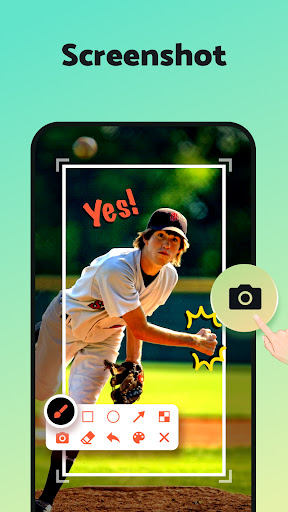
- Screen Capture: capture screenshots of the entire screen with a single tap
- Region Recording: select the area you want to record
- Video Editor: trim or crop videos, add text, stickers & effects to enrich your video
- Time Stamp: link to a specific moment in your recording
- Quick Upload: directly upload from within the app to YouTube, TikTok, etc.
>>> Screen Recording for any occasion <<<
✅ Make an effective video tutorial
✅ Record a new maneuver in your favorite game
✅ Save non-downloadable videos for offline playback
✅ Make a YouTube/TikTok reaction video
✅ Create an online course
✅ Record important live streams and video calls
✅ Market your business to online customers
📹 HD Video Recorder
AX Recorder helps you record smooth and clear videos without quality loss(1080p, 16Mbps, 120FPS). You can adjust the resolution, quality, and frame rate of your video.
🤳 Record Video with Facecam
The Screen Recorder also lets you record using your front camera to show your reactions. This can be helpful if you want to create reaction videos because it will allow your viewers to see your face while you’re talking and your screen simultaneously.
💡 Selected Area Screen Recorder
This screen recorder gives you tremendous flexibility. With AX Screen Recorder, you can quickly record or screenshot a full screen of the phone, depending on your needs, and share screenshots directly with your friends.
⚡ Screen Recorder with a Powerful Editor
This screen recording app includes a full-featured video and photo editor. You can merge, compress, trim, or crop your video after you finish recording. Add trendy music, filters, and stickers to spice up your videos. AX Recorder also allows you to crop, add text, or paint over photos.
📼 Easy-to-use Video Recorder
With AX Recorder's clear interface and handy tools, you can easily doodle, write on the screen, and show touches in the recording to guide viewers through your recording and highlight important information.
💯 All-in-one Screen Recorder
When you're done recording and editing, you can start uploading to YouTube, TikTok, and other social platforms right from the app, so you can do everything from creation to upload - all from within AX Screen Recorder!
Floating Ball or Notification Bar permission is required to guarantee the normal use of Screen Recorder & Video Recorder tools. (Recommend opening both)
Remember to check whether there is a Privacy Protect in recording content and please abide by its policy and regulation.
Thank you for downloading AX Recorder - Screen Recorder & Video Recorder. If you have any suggestions or feedback, please contact us at [email protected]
AX Recorder is perfect for recording gameplay, video tutorials, presentations, and more. With this screen recorder, you'll be able to draw, doodle, or note on the screen for better presentation. You can also record screen with facecam to show your face in the video.
Enjoy smooth screen recording using powerful built-in tools like screen capture, photo editor, and video editor with music, filters, stickers, and text. AX Screen Recorder makes it easy to create polished, professional-quality videos.
🔥 What can AX Recorder do?
- Start/Stop screen recording with one tap
- Screen recorder with audio On or Off
- Record video with Facecam: capture your reactions while recording
- Internal & External Audio: record clear sound without noise(Android 10 and above)
- Floating Ball: One tap to capture a precise moment or hide it if not needed
- Brush Tool: doodle on your screen and add rectangles, circles, arrows, etc.
- Screen Capture: capture screenshots of the entire screen with a single tap
- Region Recording: select the area you want to record
- Video Editor: trim or crop videos, add text, stickers & effects to enrich your video
- Time Stamp: link to a specific moment in your recording
- Quick Upload: directly upload from within the app to YouTube, TikTok, etc.
>>> Screen Recording for any occasion <<<
✅ Make an effective video tutorial
✅ Record a new maneuver in your favorite game
✅ Save non-downloadable videos for offline playback
✅ Make a YouTube/TikTok reaction video
✅ Create an online course
✅ Record important live streams and video calls
✅ Market your business to online customers
📹 HD Video Recorder
AX Recorder helps you record smooth and clear videos without quality loss(1080p, 16Mbps, 120FPS). You can adjust the resolution, quality, and frame rate of your video.
🤳 Record Video with Facecam
The Screen Recorder also lets you record using your front camera to show your reactions. This can be helpful if you want to create reaction videos because it will allow your viewers to see your face while you’re talking and your screen simultaneously.
💡 Selected Area Screen Recorder
This screen recorder gives you tremendous flexibility. With AX Screen Recorder, you can quickly record or screenshot a full screen of the phone, depending on your needs, and share screenshots directly with your friends.
⚡ Screen Recorder with a Powerful Editor
This screen recording app includes a full-featured video and photo editor. You can merge, compress, trim, or crop your video after you finish recording. Add trendy music, filters, and stickers to spice up your videos. AX Recorder also allows you to crop, add text, or paint over photos.
📼 Easy-to-use Video Recorder
With AX Recorder's clear interface and handy tools, you can easily doodle, write on the screen, and show touches in the recording to guide viewers through your recording and highlight important information.
💯 All-in-one Screen Recorder
When you're done recording and editing, you can start uploading to YouTube, TikTok, and other social platforms right from the app, so you can do everything from creation to upload - all from within AX Screen Recorder!
Floating Ball or Notification Bar permission is required to guarantee the normal use of Screen Recorder & Video Recorder tools. (Recommend opening both)
Remember to check whether there is a Privacy Protect in recording content and please abide by its policy and regulation.
Thank you for downloading AX Recorder - Screen Recorder & Video Recorder. If you have any suggestions or feedback, please contact us at [email protected]
Uygulama Bilgisi
Sürüm
2.5.2.2
Güncellenme tarihi
Nov 04, 2026
Boyut
Android Gerektirir
6.0
Paket Kimliği
screenrecorder.videoeditor.videorecorder
Yüklemeler
21.6M+
Kategori
Video Players & Editors
Yenilikler
✅ Improve
- Fixed bugs and improved performance.
Update now for a smoother recording experience!
Email us: [email protected]
- Fixed bugs and improved performance.
Update now for a smoother recording experience!
Email us: [email protected]
Uygulama İzinleri
-
Device & app history
- read sensitive log data
-
Identity
- find accounts on the device
-
Contacts
- find accounts on the device
-
Photos/Media/Files
- read the contents of your USB storage
- modify or delete the contents of your USB storage
-
Storage
- read the contents of your USB storage
- modify or delete the contents of your USB storage
-
Camera
- take pictures and videos
-
Microphone
- record audio
-
Other
- update component usage statistics
- read Home settings and shortcuts
- write Home settings and shortcuts
- read Home settings and shortcuts
- write Home settings and shortcuts
- view network connections
- pair with Bluetooth devices
- expand/collapse status bar
- full network access
- close other apps
- draw over other apps
- control vibration
- prevent device from sleeping
- install shortcuts
- uninstall shortcuts


Puanlar ve Yorumlar
4.6
Toplam puanlar
5
4
3
2
1
F
Faiyaz Md
Nov 10, 2026
se x 4 and
T
Tp Bhai
Nov 10, 2026
nice
S
Sonu Soni
Nov 10, 2026
bhi badiya app he
j
josh Khaki
Nov 10, 2026
It is great but it should not have ads
K
Kaung Khat Thaw
Nov 10, 2026
good app
B
Bakuuu
Nov 10, 2026
bestt screen recording app ever ,u can edit too broo 😝besttt app everrr guys😌

