

Avigilon Unity Video
Business




Về ứng dụng này
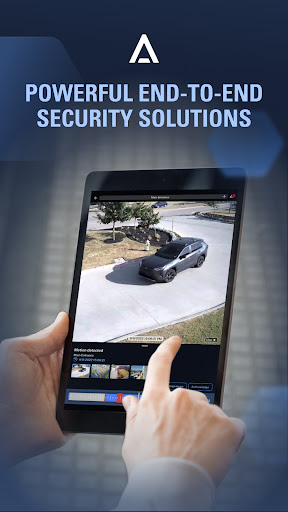
With the Avigilon Unity Video mobile app, you can:
• Sign in using Avigilon Unity Cloud Services credentials for seamless access to an organization’s cloud-connected Unity Video sites using firewall traversal
• View live or recorded video from any H.264 or H.265 cameras connected to Unity Video software and Avigilon Unity Video sites
• Efficiently stream live or recorded HD video from Avigilon cameras using High Definition Stream Management (HDSM)™ technology to optimize the use of network bandwidth
• Receive push alarm notifications to quickly detect, verify, and act on events such as motion or video analytic rule triggers
• Easily review recorded video using the recorded video timeline
• Control PTZ cameras, including running tours and moving to defined presets
• Create and customize your video views through Saved Video Views
• Gain immediate awareness of your site by checking the recently viewed camera feeds.
• Switch easily between organizations and sites with Org and Site selectors.
Avigilon Unity Video mobile app is available with Avigilon Unity Video Core, Standard, and Enterprise edition sites. Avigilon Unity Video app requires Avigilon Unity Video sites to be running the Avigilon Unity Web Endpoint component. The Avigilon Unity Video Web Endpoint is pre-installed on Avigilon Network Video Recorders (NVRs) and High Definition Video Appliances (HDVAs), is part of the firmware for Avigilon ES Appliances, and is available as a separate download for any server running on Windows.
Thông tin ứng dụng
Có gì mới
- Fixed an issue with the digital output overlay
- Other bug fixes and improvements
Quyền ứng dụng
-
Phone
- read phone status and identity
-
Photos/Media/Files
- read the contents of your USB storage
- modify or delete the contents of your USB storage
-
Storage
- read the contents of your USB storage
- modify or delete the contents of your USB storage
-
Camera
- take pictures and videos
-
Microphone
- record audio
-
Device ID & call information
- read phone status and identity
-
Other
- receive data from Internet
- view network connections
- pair with Bluetooth devices
- change network connectivity
- full network access
- change your audio settings
- control Near Field Communication
- run at startup
- reorder running apps
- control vibration
- prevent device from sleeping


Đánh giá và nhận xét
Really slow loading, always get an error on playback, saying retry.
updates to this app break the abulity to logon. reinstallations are the omly way to fix
App was updated on 9 jan. Now broken like the IoS app. Dont the developers at Motorola check their products before releasing it...disgraceful
Crashes
The worst cloud based system I've ever had the displeasure of using. every 5 seconds you lose connection.
didnt turn out to be the right one for my phone


