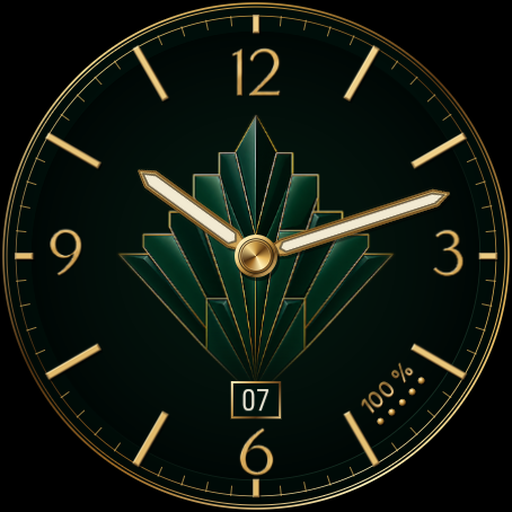
Clair – Digital Watch Face
Personalization
0.0
0 Lượt tải
"Bold time, steps and battery in a clean design with four colour palettes."
Cài đặt trên Google Play
Ứng dụng trả phí


Về ứng dụng này
Clair puts the time first. Large digits, a black dial and two understated cards create a readable Wear OS watch face, with a colour accent that suits your style.
EVERYDAY DETAILS
• Large digital time following your watch’s 12-hour or 24-hour setting.
• Day and date in English or French.
• Step count supplied by the system complication.
• Watch battery percentage and charge indicator.
• Four palettes: Signature, Sand, Glacier and Lavender.
• Minimal Always-On Display with time and date on black.
WEATHER
Temperature and the weather symbol use native Wear OS weather data when the system provides it to the watch face. Clair shows a dash when usable data is unavailable. Support depends on your watch, software and weather service; installing another weather app does not guarantee weather data in Clair.
INSTALLATION AND COMPATIBILITY
For Wear OS 5 or later watches supporting Watch Face Format 2. Install and select the face on your watch. Not compatible with watches running other operating systems, including Tizen, or fitness bands.
Step data and complication tap actions depend on the configured system provider. Clair does not count steps itself. Your watch displays its own data.
PURCHASE AND SUPPORT
One-time purchase. No advertising, subscriptions, in-app purchases or publisher account. No phone companion app is required. Data providers may have their own permissions and terms.
Support: [email protected]
https://abdogomri.github.io/watch-faces/help/?lang=en
Privacy: https://abdogomri.github.io/watch-faces/privacy/?lang=en
EVERYDAY DETAILS
• Large digital time following your watch’s 12-hour or 24-hour setting.
• Day and date in English or French.
• Step count supplied by the system complication.
• Watch battery percentage and charge indicator.
• Four palettes: Signature, Sand, Glacier and Lavender.
• Minimal Always-On Display with time and date on black.
WEATHER
Temperature and the weather symbol use native Wear OS weather data when the system provides it to the watch face. Clair shows a dash when usable data is unavailable. Support depends on your watch, software and weather service; installing another weather app does not guarantee weather data in Clair.
INSTALLATION AND COMPATIBILITY
For Wear OS 5 or later watches supporting Watch Face Format 2. Install and select the face on your watch. Not compatible with watches running other operating systems, including Tizen, or fitness bands.
Step data and complication tap actions depend on the configured system provider. Clair does not count steps itself. Your watch displays its own data.
PURCHASE AND SUPPORT
One-time purchase. No advertising, subscriptions, in-app purchases or publisher account. No phone companion app is required. Data providers may have their own permissions and terms.
Support: [email protected]
https://abdogomri.github.io/watch-faces/help/?lang=en
Privacy: https://abdogomri.github.io/watch-faces/privacy/?lang=en
Thông tin ứng dụng
Phiên bản
1.0.1
Cập nhật vào
Oct 10, 2026
Kích thước
Yêu cầu Android
ID gói
com.observatoire.clair
Lượt cài đặt
0
Danh mục
Personalization
Có gì mới
Refined typography, weather symbols and data display, with an updated watch face preview.
Ứng dụng tương tự

DB022 Precision
DB Watch Face
0.0

Streamlined Watch Face
amoledwatchfaces™
4.6

Green Gradient Watch Face
zolawatchfaces
0.0

Maverick Watch Face
amoledwatchfaces™
4.4

Simple Digital Watch Face
amoledwatchfaces™
4.3

Muviz - Classic Digital Face
Sparkine Labs
4.2