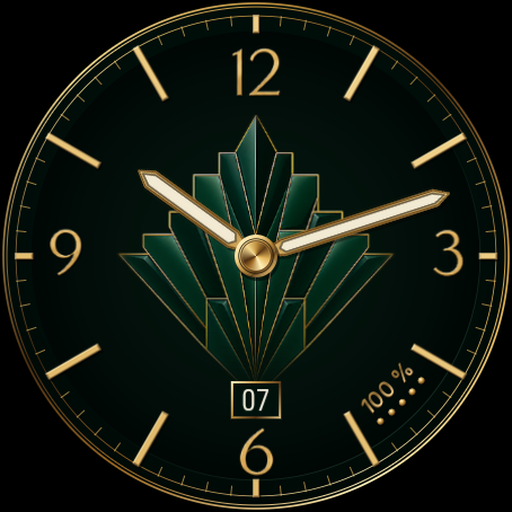
Signal Digital Watch Face
Personalization
0.0
2 Lượt tải
"Bold digital time with weather, steps, battery and eight accent palettes."
Cài đặt trên Google Play
Ứng dụng trả phí


Về ứng dụng này
Signal puts large digital time at the centre of a black dial. A two-tone date and three information columns keep weather, steps and battery easy to find.
FEATURES
• Time follows your watch's 12/24-hour setting, with AM/PM in 12-hour mode.
• Day and date.
• Current weather icon and temperature.
• Step count and watch battery percentage.
• Eight accent palettes, with Glacier selected by default.
• Minimal always-on display showing the time.
DATA AND CUSTOMIZATION
The weather and step areas have fixed roles and cannot be reassigned. Weather uses the watch's weather data, with Samsung Weather then Google Weather as fallbacks when available. Steps use Samsung Health when available, with the system step count as a fallback. Data availability and update frequency depend on the watch and source services. Missing information is shown with a dash when no value is provided. The lower accent line is decorative; Signal does not display progress towards a step goal.
PHONE AND WATCH
The phone companion guides you through installing and selecting the watch face. The watch face runs on your watch, not on your phone screen.
COMPATIBILITY
Requires a compatible Wear OS 5 or later watch, based on Android 14 or later. Not compatible with Tizen watches or Apple Watch.
GET STARTED
Open the companion on your phone and follow the installation guide for your compatible watch. Once installed, press and hold your current watch face, open the watch face selector and choose this design. Use the watch's customization menu to adjust its available options. Menu names may vary by watch.
SUPPORT
Magic apps & games
[email protected]
https://abdogomri.github.io/
Installation guide: https://abdogomri.github.io/watch-faces/help/?lang=en
Privacy policy: https://abdogomri.github.io/watch-faces/privacy/?lang=en
FEATURES
• Time follows your watch's 12/24-hour setting, with AM/PM in 12-hour mode.
• Day and date.
• Current weather icon and temperature.
• Step count and watch battery percentage.
• Eight accent palettes, with Glacier selected by default.
• Minimal always-on display showing the time.
DATA AND CUSTOMIZATION
The weather and step areas have fixed roles and cannot be reassigned. Weather uses the watch's weather data, with Samsung Weather then Google Weather as fallbacks when available. Steps use Samsung Health when available, with the system step count as a fallback. Data availability and update frequency depend on the watch and source services. Missing information is shown with a dash when no value is provided. The lower accent line is decorative; Signal does not display progress towards a step goal.
PHONE AND WATCH
The phone companion guides you through installing and selecting the watch face. The watch face runs on your watch, not on your phone screen.
COMPATIBILITY
Requires a compatible Wear OS 5 or later watch, based on Android 14 or later. Not compatible with Tizen watches or Apple Watch.
GET STARTED
Open the companion on your phone and follow the installation guide for your compatible watch. Once installed, press and hold your current watch face, open the watch face selector and choose this design. Use the watch's customization menu to adjust its available options. Menu names may vary by watch.
SUPPORT
Magic apps & games
[email protected]
https://abdogomri.github.io/
Installation guide: https://abdogomri.github.io/watch-faces/help/?lang=en
Privacy policy: https://abdogomri.github.io/watch-faces/privacy/?lang=en
Thông tin ứng dụng
Phiên bản
Cập nhật vào
N/A
Kích thước
Yêu cầu Android
ID gói
com.observatoire.signal
Lượt cài đặt
2
Danh mục
Personalization
Quyền ứng dụng
-
Other
- full network access

Ứng dụng tương tự

Nuclear Watch Face for Wear OS
Croma Company
0.0

Dark Black Watch Face
zolawatchfaces
0.0

Power Tracker Watch Face
Time Design LLC
4.7

CELEST5582 Minimalist Watch
CELEST Watches
0.0

Digital Sport V16
GW Watchfaces
0.0

CELEST5586 Sport Watch
CELEST Watches
0.0