


關於此應用
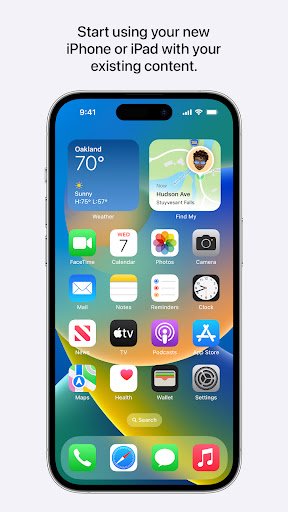
Everything about iOS is designed to be easy. That includes switching to it. With just a few steps, you can migrate your content automatically and securely from your Android device with the Move to iOS app. No need to save your stuff elsewhere before switching from Android. The Move to iOS app securely transfers all kinds of content data for you:
Apps
Calendars
Call logs
Contacts
Camera photos and videos
Mail accounts
Message history
Voice memos
WhatsApp content
Make sure to keep your devices nearby and connected to power until the transfer is complete. When you choose to migrate your data, your new iPhone or iPad will create a private Wi-Fi network and find your nearby Android device running Move to iOS. After you enter a security code, it will begin transferring your content and put it in the right places. Just like that. Once your content has been transferred, you’re ready to get going. That’s it — you can start using your new iPhone or iPad and experiencing its endless possibilities. Enjoy.
Required App Permission
Location: To establish a Wi-Fi connection between the Android device and the iPhone or iPad, which is needed to migrate the data.
Optional App Permission
- SMS: To migrate your text messages, including multi-media messages and group chats, on iPhone or iPad.
- Photos and Videos: To migrate your photos, videos, and related metadata to iPhone or iPad.
- Notifications: To allow local Android notifications about the status of your migration to iPhone or iPad.
- Contacts: To migrate your contacts to iPhone or iPad.
- Music and Audio: To migrate your downloaded media, audio recordings, and voice memos to iPhone or iPad.
- Phone: To migrate your SIM and carrier information so you can make and manage phone calls on iPhone or iPad.
- Calendar: To migrate your calendar events to iPhone or iPad.
- Call Logs: To migrate your call history to iPhone or iPad.
You can use Move to iOS even without providing consent to any of the above optional app permissions. However, some features of the service may not be available.
應用資訊
新功能
This update includes improvements and bug fixes including the following:
- Improves the reliability of transferring text messages
- Improves the accuracy of transfer progress
- Fixes an issue where a transfer may unexpectedly stop
應用權限
-
Device & app history
- read your Web bookmarks and history
-
Identity
- find accounts on the device
-
Calendar
- read calendar events plus confidential information
-
Contacts
- find accounts on the device
- read your contacts
-
Location
- approximate location (network-based)
- precise location (GPS and network-based)
-
SMS
- read your text messages (SMS or MMS)
-
Phone
- read call log
- read phone status and identity
-
Photos/Media/Files
- read the contents of your USB storage
- modify or delete the contents of your USB storage
-
Storage
- read the contents of your USB storage
- modify or delete the contents of your USB storage
-
Wi-Fi connection information
- view Wi-Fi connections
-
Device ID & call information
- read phone status and identity
-
Other
- view network connections
- read battery statistics
- change network connectivity
- allow Wi-Fi Multicast reception
- connect and disconnect from Wi-Fi
- full network access
- prevent device from sleeping


評分與評論
3.6
總評分
5
4
3
2
1
S
Sazid Zamil
Nov 23, 2026
everytime its getting stuck, tecno to iphone 16pm , always stuck at video transfer.
L
L
Nov 23, 2026
it works smoovely, the instructions are clear, i used cable to transfer so didn't experienced any problem
S
Sebastian Cheah
Nov 22, 2026
unsuccesful port even 3 times
A
Ankit Subba
Nov 22, 2026
why we have to use it app because why are you just make we don't have iPhone also some but I have
J
Justin Smith
Nov 22, 2026
Useless.... doesn't connect or do anything!
S
Saim Khurshid
Nov 21, 2026
cant work properly, 2026 btw


