

LastPass Authenticator
Productivity



關於此應用
ADD MORE SECURITY
Safeguard your LastPass account by requiring two-factor authentication codes when signing in. Two-factor authentication improves your digital security by protecting your account with an additional login step. Even if your password is compromised, your account can’t be accessed without the two-factor authentication code.
You can even mark a device as “trusted”, so you won’t be prompted for codes on that device while your account remains protected by two-factor authentication.
TURNING IT ON
To turn on LastPass Authenticator for your LastPass account:
1. Download LastPass Authenticator to your mobile device.
2. Log in to LastPass on your computer and launch “Account Settings” from your vault.
3. In “Multifactor Options”, edit LastPass Authenticator and view the barcode.
4. Scan the barcode with the LastPass Authenticator app.
5. Set your preferences and save your changes.
LastPass Authenticator can also be turned on for any service or app that supports Google Authenticator or TOTP-based two-factor authentication.
LOGGING IN
To login to your LastPass account or other supported vendor service:
1. Open the app to generate a 6-digit, 30-second code OR approve/deny an automated push notification
2. Alternatively, send SMS code
3. Enter the code into the login prompt on your device OR hit approve/deny request
FEATURES
- Generates 6-digit codes every 30 seconds
- Push notifications for one-tap approval
- Free encrypted backup to restore your tokens on a new/reinstalled device
- Support for SMS codes
- Automated set-up via QR code
- Support for LastPass accounts
- Support for other TOTP-compatible services and apps (including any that support Google Authenticator)
- Add multiple accounts
- Available on Android and iOS
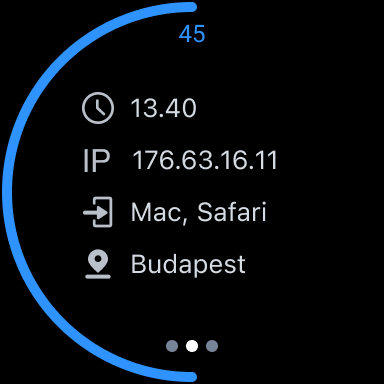
- Wear OS support for LastPass Premium, Families, Business and Teams customers
應用資訊
新功能
應用權限
-
Location
- approximate location (network-based)
- precise location (GPS and network-based)
-
Camera
- take pictures and videos
-
Other
- receive data from Internet
- view network connections
- full network access
- prevent device from sleeping


評分與評論
the map is not (ever) correct for my location so that throws me off but otherwise it's great and easy
I still remember their breach some years ago. Maybe after a decade I'll give 5 stars.
works great 👍
needs a way to merge accounts into one. Because I've so many id theft frauds trying to be there is always like 5+ accounts in my details
We love LastPass. Keeps our stuff secure and it is not google or apple holding the key.
Works. Smooth. Glitch free. Reliable.


